Trend
A line under every weigh-in
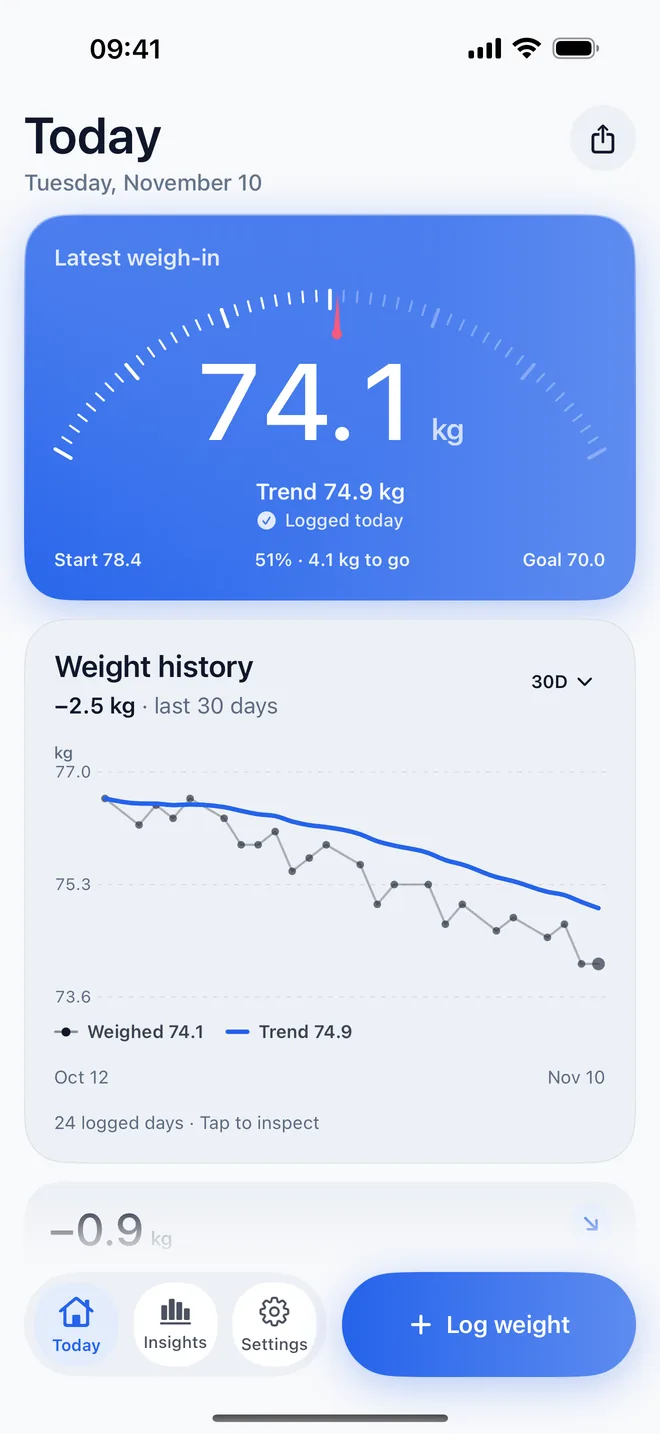
The scale jumps around: water, salt, a late dinner. WeightKit smooths every weigh-in into a trend line, so one heavy morning doesn't undo a good month.
No ads. Always.
Coming soon to iPhone, Apple Watch and Android
WeightKit turns every weigh-in into a smooth trend line, shows how your body measurements are changing, and works out a calorie plan with its sources shown. No account, no ads.
Free, with WeightKit Pro as an optional subscription.
Ad-free
No banners between your weigh-ins, no videos before you log, no ad networks reading your phone. That is a promise for everyone, on the free version too, not something WeightKit Pro buys you out of.
What it does
Trend
The scale jumps around: water, salt, a late dinner. WeightKit smooths every weigh-in into a trend line, so one heavy morning doesn't undo a good month.
Log
Type today's weight in the app, tap the Quick log widget, or turn the Digital Crown on Apple Watch. Forgot yesterday? Pick the date and add it.
Plan
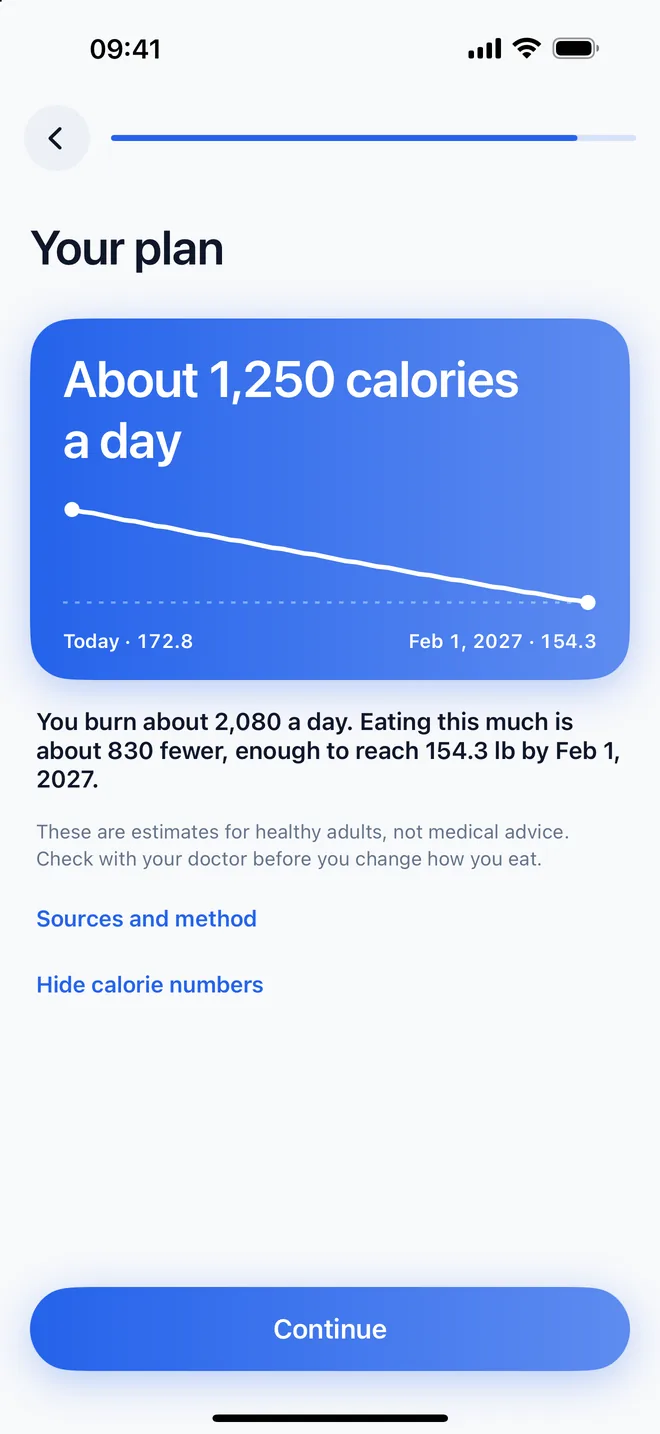
Your goal and your date become an estimated calories-a-day figure, with the method, its sources and its limits one tap away.
Health
Past weigh-ins come in from Apple Health, including your smart scale. Your log can follow you to a new iPhone through your own iCloud. Both are optional.
Widgets
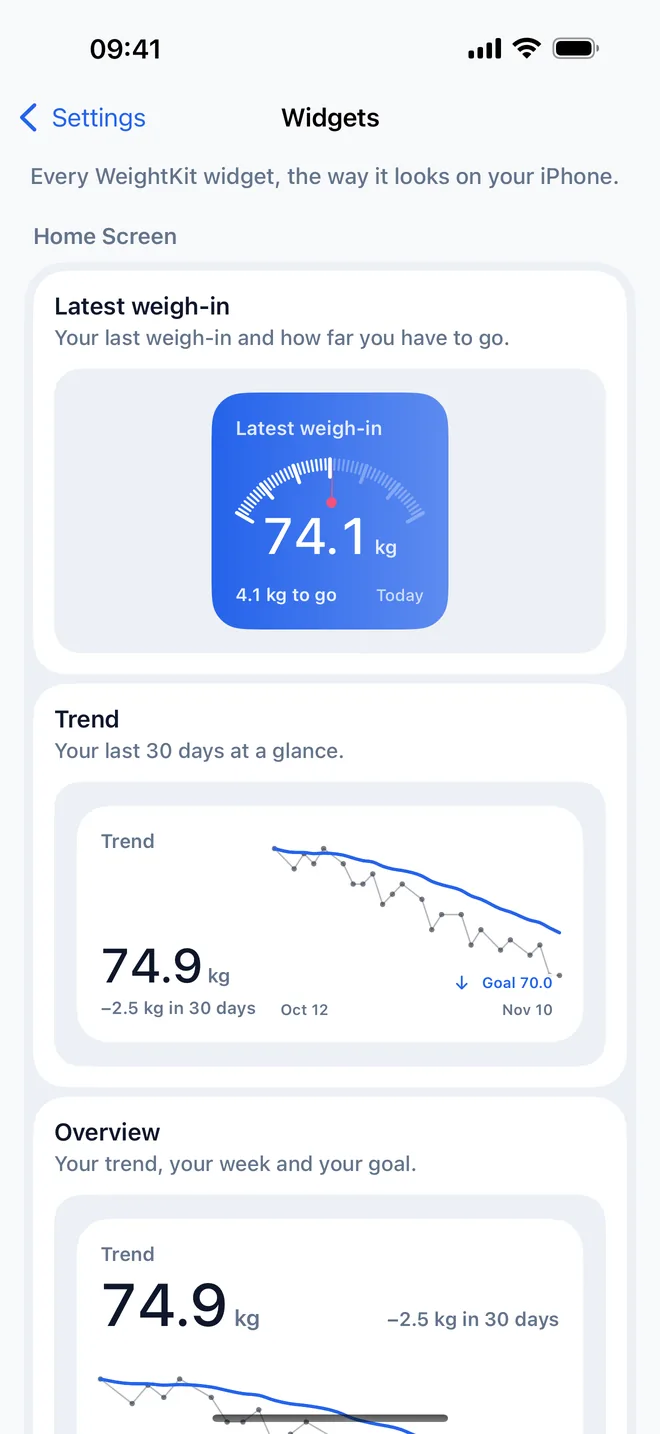
Widgets for your latest weight, your trend and quick logging, plus a large Overview with the trend, this week and your goal.
Share
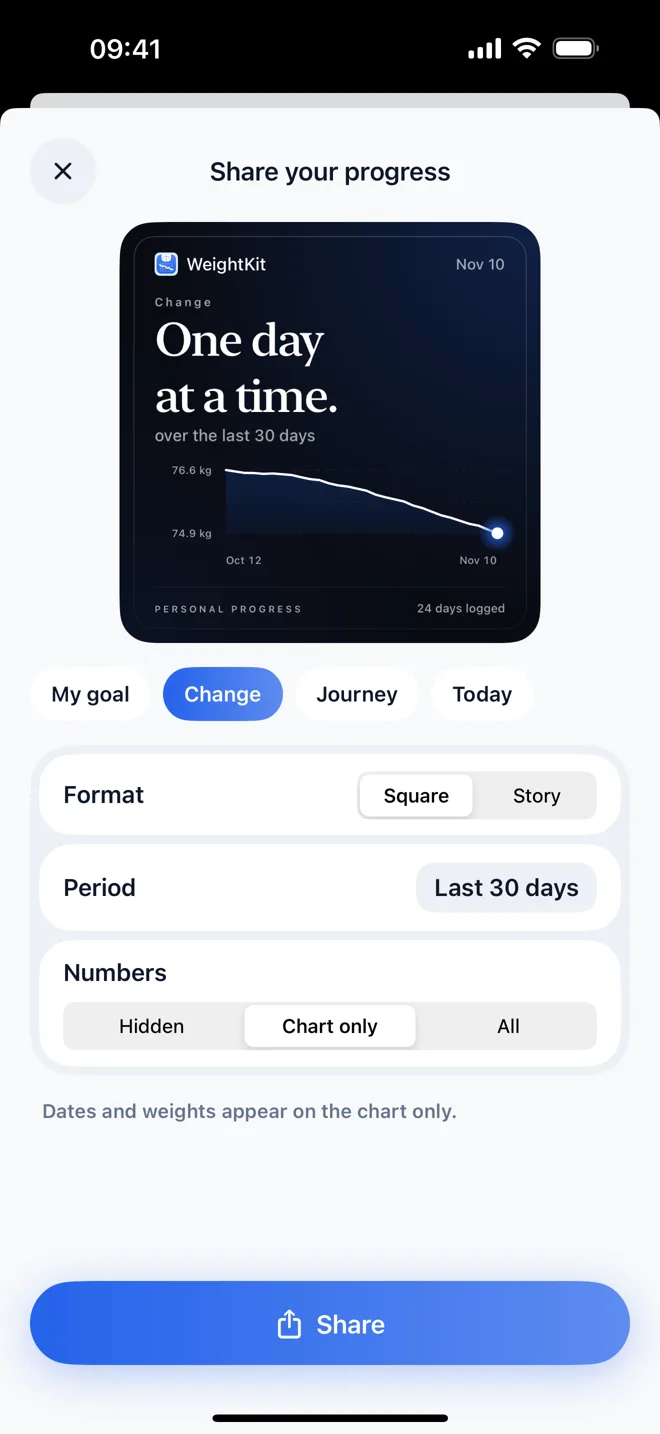
The share card shows how it is going and keeps your weight private unless you choose to show it.
Body measurements
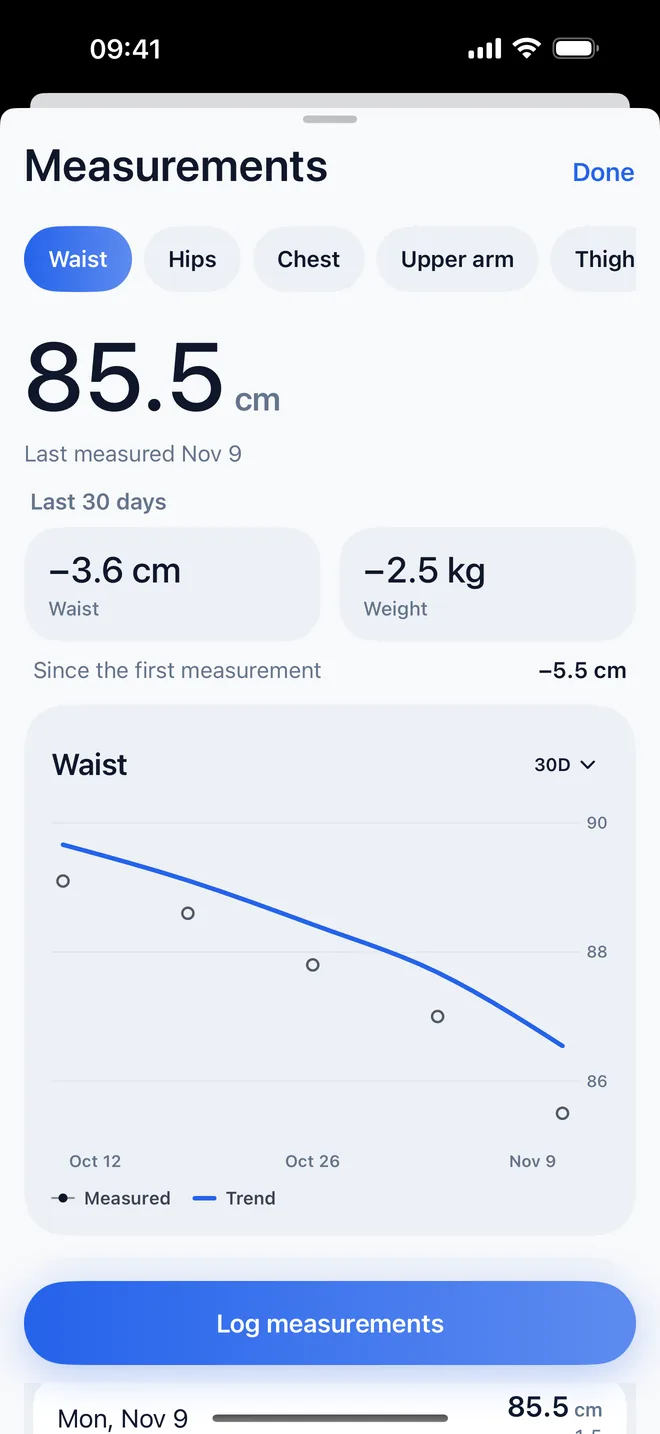
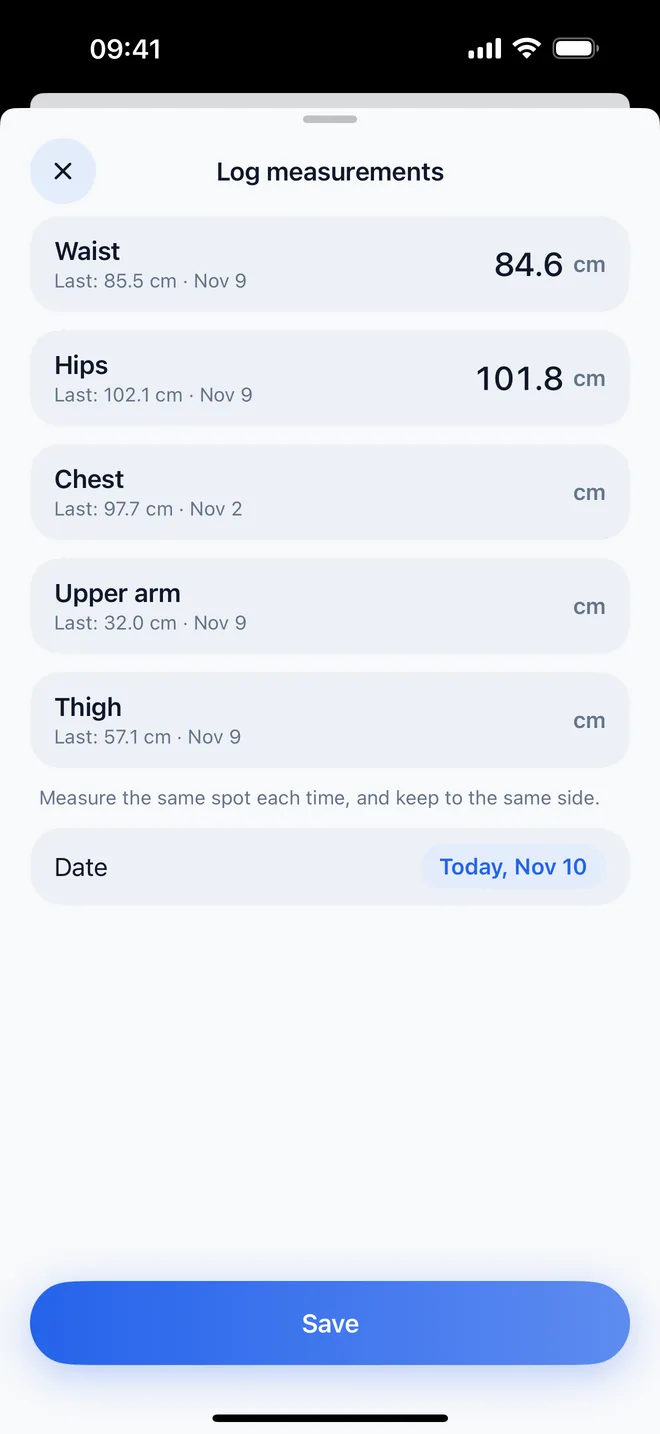
Log your waist, hips, chest, upper arm and thigh whenever you like. Each has its own chart and trend, shown next to your weight change for the same 30 days. On iPhone, your waist can sync with Apple Health, read and write, and only if you turn it on. On Android, measurements stay on the phone.
Widgets
The large Overview widget on iPhone shows the trend, this week's days and your progress toward the goal. On Android, the resizable Trend widget carries a week strip and the goal line. Today stays simple: the latest weigh-in and the trend, nothing else competing.
Apple Watch
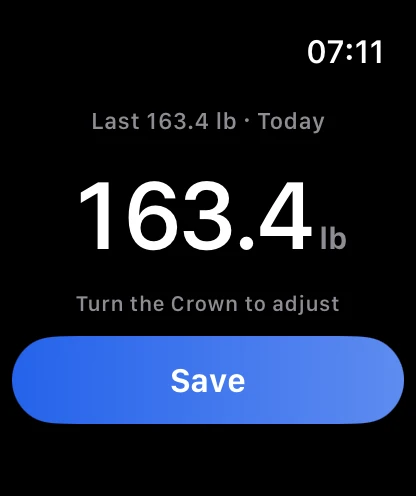
Turn the Digital Crown to your weight and save it, without your phone. Your latest weight can sit on the watch face. There is no Wear OS app.
Free & Pro
Free, permanently
Older entries are never deleted. They are kept, and Pro shows them.
WeightKit Pro
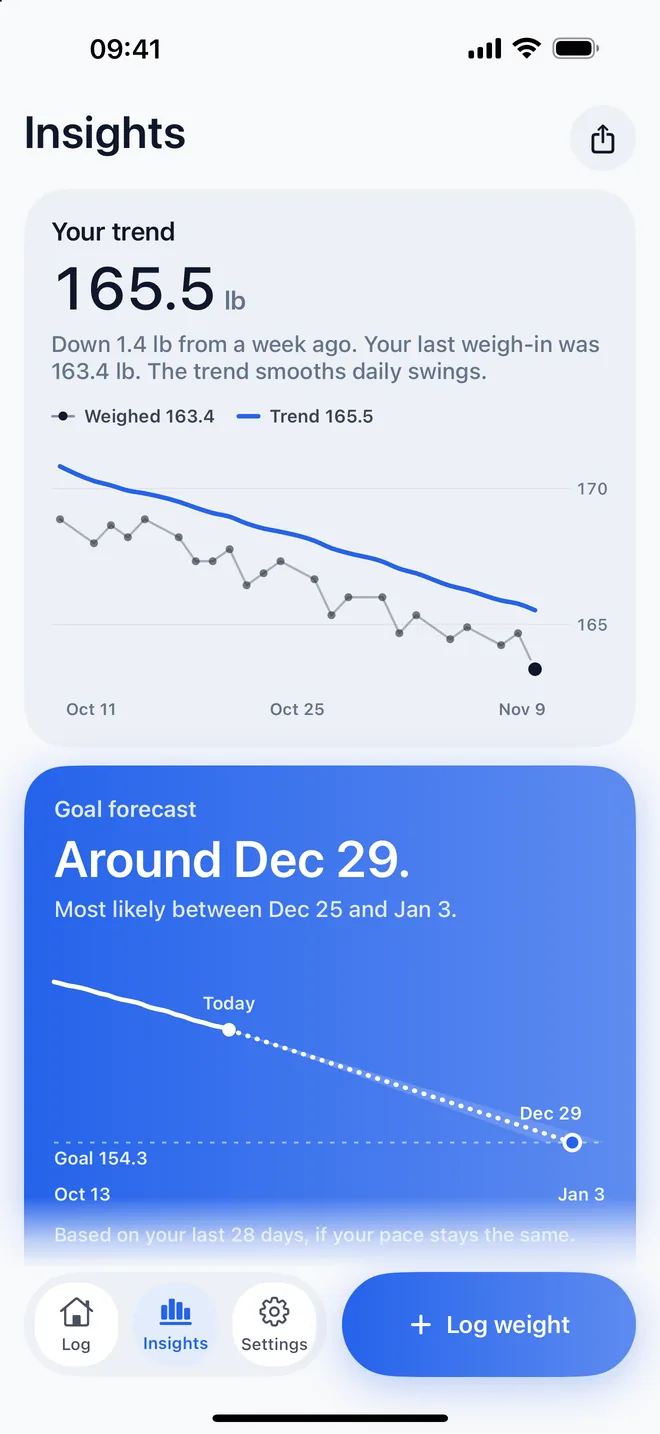
What WeightKit makes of your whole history.
Monthly or yearly. No free trial; the price is in the app before you subscribe.
The plan
The calorie plan uses the Mifflin-St Jeor equation and standard activity factors, and the app shows both with their references. The limits are built in: no plan for anyone under 18, and none below the daily minimums used in adult weight-loss programs. It is an estimate for adults, not medical advice, and you can hide the calorie numbers.
Privacy
No account and no ads. Your weights and measurements live on your own devices, in Apple Health if you turn it on, and in your own iCloud. The app sends a few usage events to our own server, like opening the app or seeing the Pro screen, tied to a random install ID and never to your weights, measurements, goal or anything read from Health. Privacy policy
FAQ
Yes. Logging, the trend line, the calorie plan, body measurements, Apple Health and iCloud sync, the widgets, the Apple Watch app, the reminder and the share card are free, and the free plan shows your last 30 days. WeightKit Pro, a monthly or yearly subscription, adds the goal forecast, detailed insights, your whole history of weights and measurements, and seven more themes with matching app icons. There is no free trial; the price is shown in the app before you subscribe.
Waist, hips, chest, upper arm and thigh, logged whenever you like. Each has its own chart and trend, shown next to your weight change for the same 30 days, so when the scale holds still a tape measure can still show change. On iPhone, your waist can sync with Apple Health, read and write, and it is optional. On Android, measurements stay on the phone.
They are kept, never deleted. The free plan shows the last 30 days of weights and measurements in the charts and lists; with WeightKit Pro every older entry appears again.
No. WeightKit works on its own. Turn on Apple Health and it brings in your past weigh-ins, including the ones a smart scale saves to Health, and saves the weights you log back to Health. Your waist can sync with Health too, with its own permission. You can change any of it in Settings at any time.
From your height, age, sex, activity level and the weight you want to reach by your date, using the Mifflin-St Jeor equation and standard activity factors. The full method and its references are in the app under Settings → Sources and method. It is an estimate for adults, not medical advice; talk to your doctor before changing how you eat.
Yes, with iCloud sync on and the same Apple Account. WeightKit keeps your log in your own iCloud, and a new install offers to bring it back before you start.
It is coming. The Android app is in Google Play closed testing now, with the same log, trend, calorie plan, widgets, body measurements and Pro, and Health Connect for weight. There is no Wear OS app. Android has no live sync between devices; its backup is handled by the system.
On iPhone, in your App Store account settings: Settings → your name → Subscriptions → WeightKit. On Android, in Google Play: your profile picture → Payments and subscriptions → Subscriptions → WeightKit. Cancel at least 24 hours before the period ends and it will not renew.
Email hello@gen2apps.com or use the contact form at gen2apps.com/contact and pick WeightKit. A person reads every message.